
U8g2 drawXBMP: Fix SSD1306 Bitmap Problems
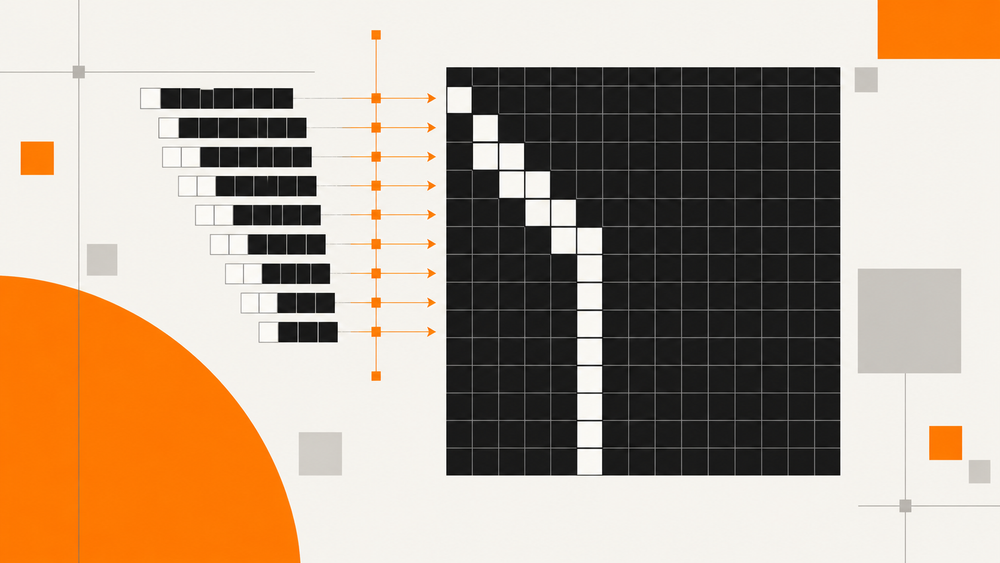
A converted bitmap can compile cleanly and still show up wrong on an SSD1306: blank, mirrored inside each group of eight pixels, shifted a little further on every row, or repeated across the screen. The usual reaction is to run the image through the converter again with different settings. That rarely helps, because the bytes are seldom the only problem.
A byte array on its own does not say how wide the image is, which bit is the leftmost pixel, how each row is padded, or how your display constructor expects the picture to be drawn. Get one of those wrong and the same correct-looking data turns into a slanted or scrambled picture. The checks below separate those causes in order: first prove the firmware drawing path with a bitmap whose correct output you know by heart, then compare your own image against it.
For an XBM bitmap in program memory, use u8g2.drawXBMP(x, y, width, height, bits). Width and height are pixel dimensions. If a converted SSD1306 image is blank, mirrored, or shifted, check its format and drawing loop before converting it again.
A bitmap accepted by U8g2 is not necessarily the SSD1306 controller's native buffer layout. Copying bytes between those representations without conversion can produce a pattern that looks almost right.
Test with a small asymmetric bitmap
This 8 × 8 example is deliberately uneven. It helps distinguish a correctly oriented image from a mirrored one:
static const unsigned char corner_bits[] U8X8_PROGMEM = {
    0x01, 0x03, 0x07, 0x0F,
    0x01, 0x01, 0x01, 0x00
};

void drawBitmapTest() {
    u8g2.setDrawColor(1);
    u8g2.drawXBMP(0, 0, 8, 8, corner_bits);
}
Add it to a sketch with a working u8g2 display object. In XBM row data, the low bit represents the leftmost pixel in each byte. The first row above lights its leftmost pixel; the fourth lights four pixels from the left. U8g2's bitmap implementation shows how those bits are read.

Test pattern, 8 × 8: a staircase growing from the top-left corner, then a single column. If yours grows from the right, the bit order does not match. Download the matching XBM file.
If this test works but your logo does not, keep the display setup and inspect the logo's data.
Use the drawing loop that matches your constructor
A full-buffer constructor contains _F_. Draw into that buffer and then send it:
u8g2.clearBuffer();
drawBitmapTest();
u8g2.sendBuffer();
For a page-buffer constructor, such as one containing _1_, repeat the drawing function inside the picture loop:
u8g2.firstPage();
do {
    drawBitmapTest();
} while (u8g2.nextPage());
Use the mode selected by your existing constructor. The U8g2 setup reference explains the naming and buffer choices. If you are setting up the display for the first time, follow Lopaka's U8g2 integration guide and keep the controller-specific constructor from the working example.
Match width, height, and row padding
An XBM row occupies a whole number of bytes. For a width of 13 pixels, each row uses two bytes, with three unused bits at its end. An eight-row image therefore needs 16 bytes.
bytes per row = (width + 7) / 8, using integer division
total bytes = bytes per row * height
If you pass 16 as the width because the row has two bytes, the API will draw 16 pixels. Pass the original pixel width instead. If you change the width without repacking the data, rows can start in the wrong places.
The older drawBitmap() interface uses a byte count for horizontal size, while drawXBM() and drawXBMP() use pixels. The U8g2 drawing reference documents the distinction and recommends the XBM functions.
Read the symptom before changing settings
| Symptom | Check |
|---|---|
| Text and the test image are both blank | Constructor, initialization, wiring, and display address |
| Test image works; custom image is blank | Array contents, dimensions, draw color, and coordinates |
| Pixels reverse inside each group of eight | Source bit order versus XBM bit order |
| Rows shift or repeat | Row padding and the width supplied to the function |
| Correct image, wrong foreground/background behavior | Bitmap mode, draw color, and how the background is cleared |
When moving an icon, redraw the affected background as well. Otherwise, lit pixels from the previous position may remain. Decide whether the application clears the full buffer or repaints only the region that changed.
Export the bitmap with its draw call
For a new logo, the U8g2 image converter walkthrough covers preparation in Lopaka. Keep the generated width, height, array, and draw call together when moving the result into firmware.
The screen design still leaves the display constructor and bus setup to your project. SSD1306 and SH1106 modules can share a resolution while needing different controller setup. A visual preview cannot validate wiring or an I2C address.
Common questions
Does drawXBMP draw the whole screen automatically?
It draws the dimensions passed to it at the chosen coordinates. A small logo stays a small logo; position it explicitly or prepare a full-screen bitmap.
Can I paste a PNG file's bytes into the array?
No. The function expects packed monochrome pixels, not a compressed PNG file. Convert the image first.
How do I check the layout before flashing again?
Use the small asymmetric bitmap to verify the firmware path, then inspect the real asset in Lopaka. That gives you a known working reference while adjusting the logo.