Cineink: Adafruit GFX E-Paper UI for Film Sets
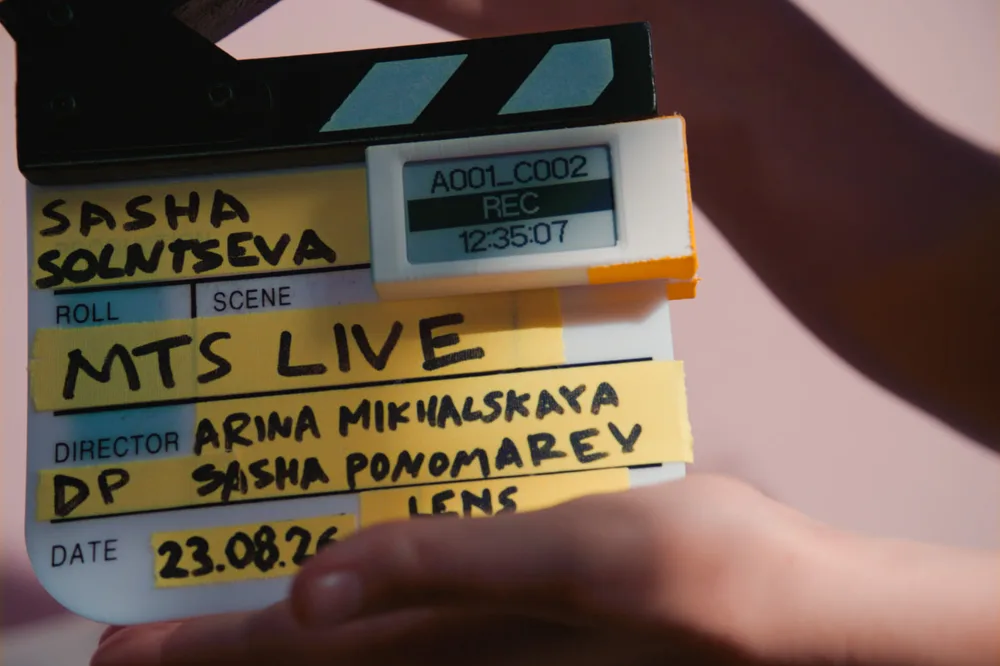
A film slate already carries the scene, roll, and take. Alexander Ponomarev clipped one more piece of information to it: a battery-powered e-paper screen showing the latest ARRI clip, recording state, and timecode. The crew gets a crisp readout without crowding around the camera.
He calls it Cineink. It is a working prototype, small enough to ride on the slate and clear enough to read under direct sunlight.
Meet Alexander
Alexander Ponomarev is a Moscow-based director of photography who has worked around the world since 2014. He shoots feature films and series, alongside commercials and music videos. That background gave him a precise view of the information different crew members need while a camera is rolling.
A director of photography watches exposure and lens data. A focus puller needs focal length, lens name, and T-stop. The second assistant camera tracks reel and clip numbers. Script, sound, VFX, and DIT crews each need their own slice of the same camera metadata.
Alexander built Cineink to put those values where people can see them.
Four views for one busy set
Cineink currently has four layouts. Basic gives reel and last-clip numbers the largest type, with six smaller fields. Advanced packs in codec, sensor mode, white balance, tint, exposure, lens, battery, and card data. 3 Rows and 5 Rows trade density for configurable text that stays legible from farther away.
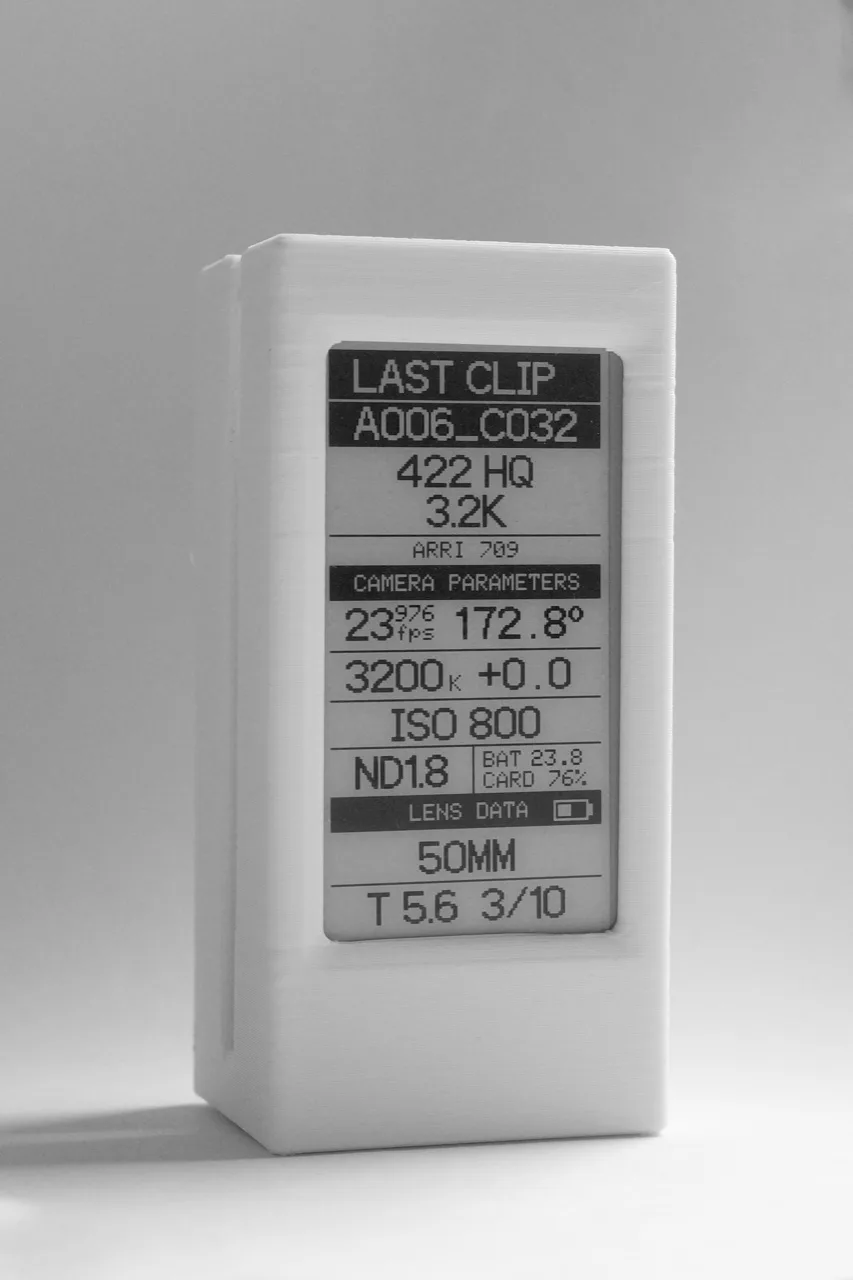
Each row can show a live camera parameter or text entered by the crew. A row can also be inverted for contrast. The device stores those choices, so the layout and text remain after a power cycle.
That flexibility turns the panel into more than a camera readout. A crew can show a project name, scene, unit, camera letter, or a short note when live metadata is not needed.
Where Lopaka came in
Alexander designed the monochrome interface as a public Cineink project in the Lopaka Gallery. The project targets Adafruit GFX at the display's native 122×250 resolution. Its layers define the framed data zones, dividing lines, labels, and a tiny Wi-Fi icon before the values arrive from the camera.
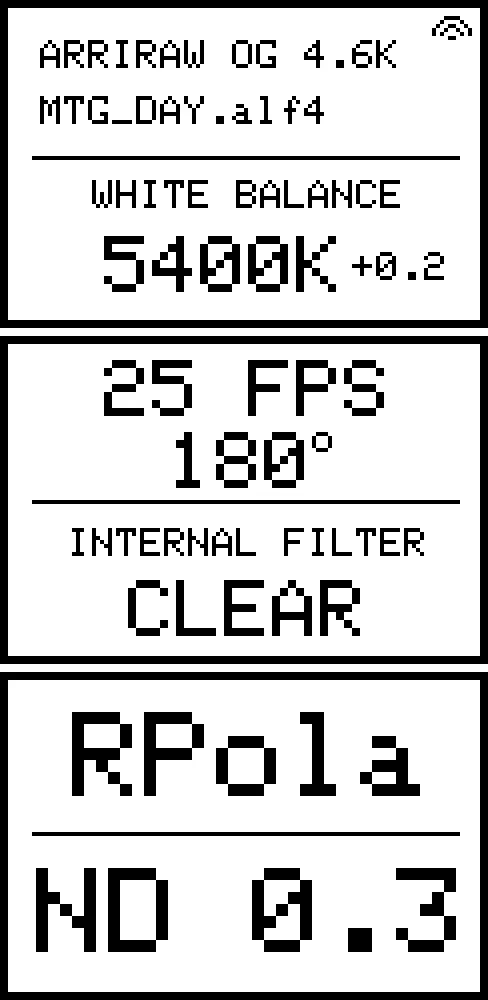
This is the part Lopaka handled: arranging a dense Adafruit GFX e-paper UI on the exact pixel grid and turning that layout into drawing code. Alexander's firmware does the rest. It connects to the camera, reads metadata, serves the control page, stores settings, and replaces each field with current data.
The separation keeps the screen practical to revise. Alexander can move a divider or rebalance the type visually, then update the drawing code without rebuilding the camera protocol around it.
Live ARRI data, with a manual fallback
Cineink reads metadata through ARRI CAP, the Camera Access Protocol. Alexander tested the prototype with an ARRI Alexa 35. With an LDS lens attached, the device can fill in focal length, T-stop, and the lens name. Crew members can enter those values manually for other lenses.
The device creates its own Wi-Fi network and hosts a local control page. A phone connects directly to Cineink, with no cloud account, app, or internet connection. From the browser, the crew can choose a layout, edit fields, and select a saved camera. Cineink then joins the camera's Wi-Fi and reconnects using the stored credentials.
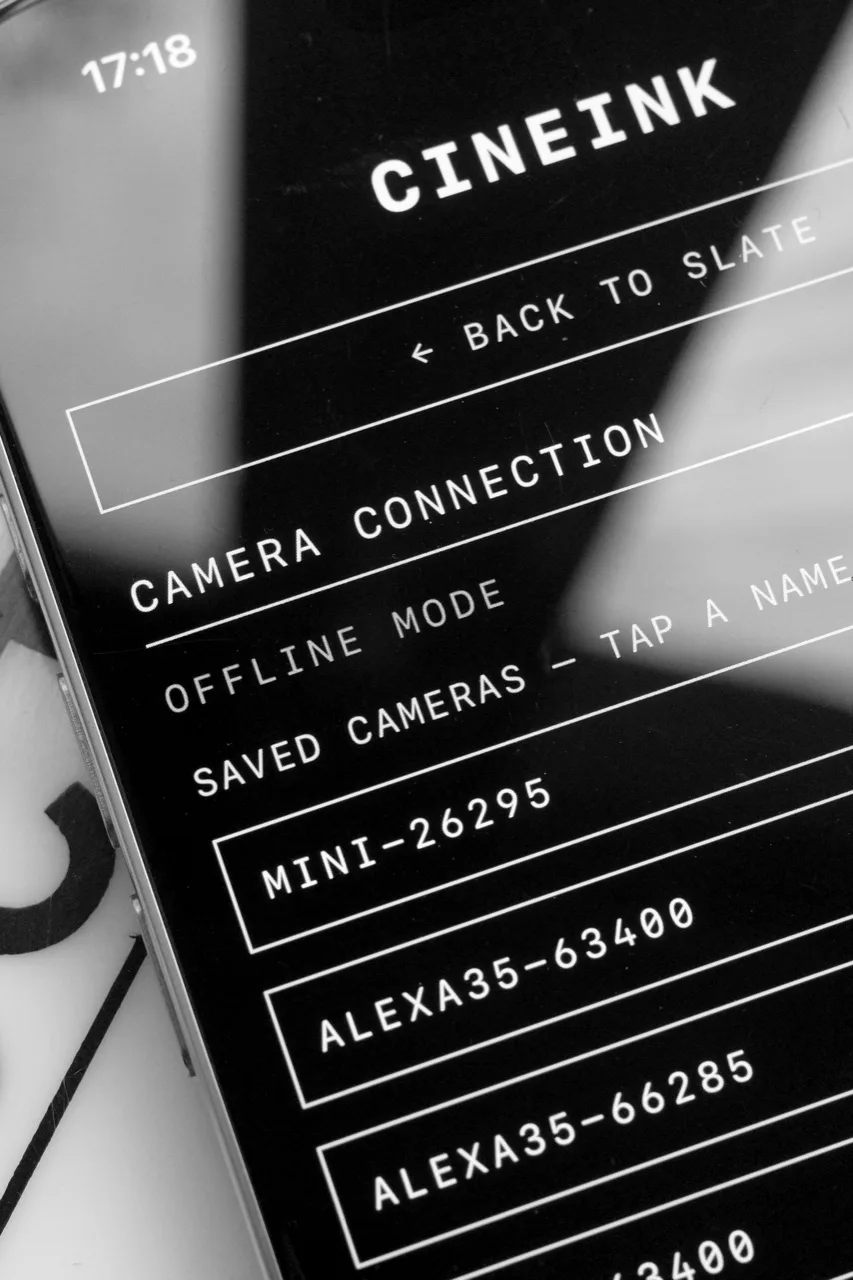
Manual entry also lets the current prototype work beside RED, Sony, or Blackmagic cameras. Those values do not update themselves yet, but the panel still serves as a configurable on-set label. Alexander lists live support for more camera brands as future work.
A prototype built for the conditions
The current hardware lives in a PETG enclosure with a 3D-printed clip. It runs from a rechargeable battery and uses a monochrome e-paper panel without a backlight. E-paper keeps the interface readable in direct sunlight, while the black-and-white layouts also suit a dark set without adding another bright screen.
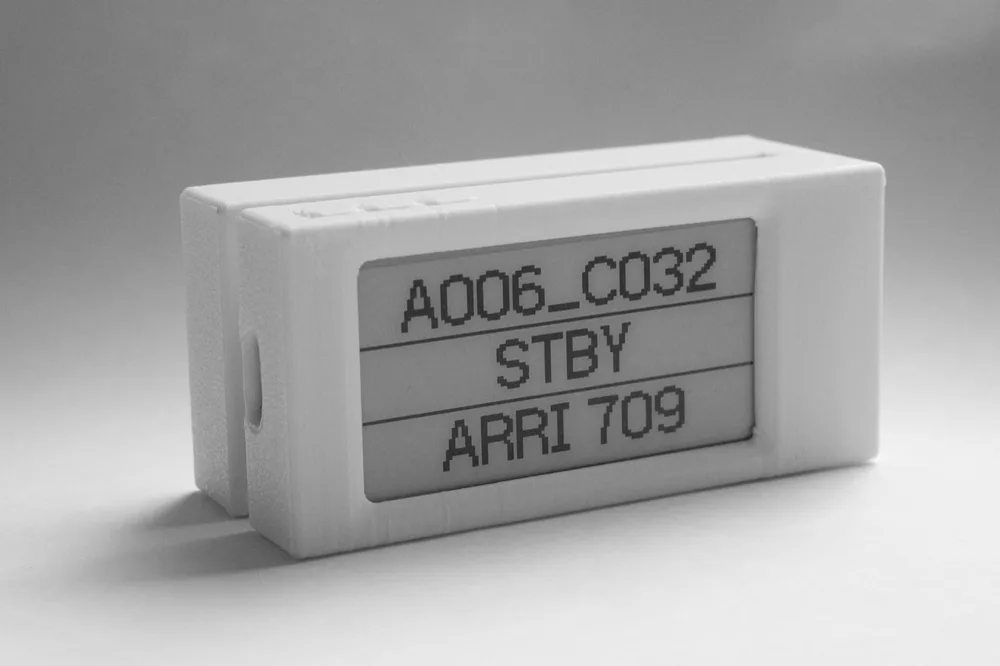
The result already looks at home on a slate. Reel, last clip, and REC or STBY state sit where the crew can spot them. More detailed views stay available for the people checking exposure, filtration, card space, or lens data. Alexander is still documenting the full hardware and build, so Cineink remains a prototype rather than a finished product.
Build your own display
Explore the layouts in the public Cineink gallery project, then read Alexander's full Cineink project page for the live-data workflow and current hardware.
For another compact e-paper build, Jeremy Ngai's WeatherPaper weather station shows how a larger GxEPD2 screen can run for more than 500 days on one charge. If your project uses Adafruit GFX, start with the Arduino GUI builder and lay out the interface at the exact resolution of your panel.
Nice work, Alexander. A film set has plenty of screens already. This one earns its place by showing the right few lines.
FAQ
How do I design an Adafruit GFX UI for an e-paper display?
Create a Lopaka project at your panel's pixel dimensions, place the text, lines, shapes, and bitmap icons visually, then choose Adafruit GFX for the generated drawing code. Your firmware can replace placeholder values with live data.
Can Adafruit GFX display live ARRI camera metadata?
Adafruit GFX draws the interface, while separate firmware retrieves the metadata. Cineink reads ARRI camera values through CAP and renders them into an Adafruit GFX layout designed in Lopaka.
Does Cineink need internet access?
No. Cineink hosts its own control page and connects locally to the camera's Wi-Fi. The phone interface works without a cloud service, account, or installed app.
Why use e-paper for an on-set camera display?
The monochrome panel stays readable in direct sunlight and does not need a backlight. Cineink uses large, high-contrast fields so crew members can read selected values from a distance.
Credits
Cineink, interface, and photography by Alexander Ponomarev.